Walkthrough
Building a restaurant reservation system with Crucible.
From an idea to a running application — a step-by-step walkthrough.
The setup
Meet Alex. Alex is a developer building a restaurant reservation system for a mid-size restaurant — 30 tables, lunch and dinner service. They currently use a paper book and phone calls, and they're constantly dealing with double-bookings and no-shows.
Alex has been using Claude Code for months and loves it for individual tasks. But this project has multiple components that need to work together — authentication, a booking engine, a real-time dashboard, an API. Every time Alex tries to build something this complex with AI, the same thing happens: the first few files are great, then the AI starts contradicting earlier decisions and generating code that doesn't fit.
Alex installs Crucible.
Install
One command, full setup.
Alex runs one command in the terminal. It handles Node.js, the VS Code extension, and sets up a workspace with all the personas. Takes about a minute.
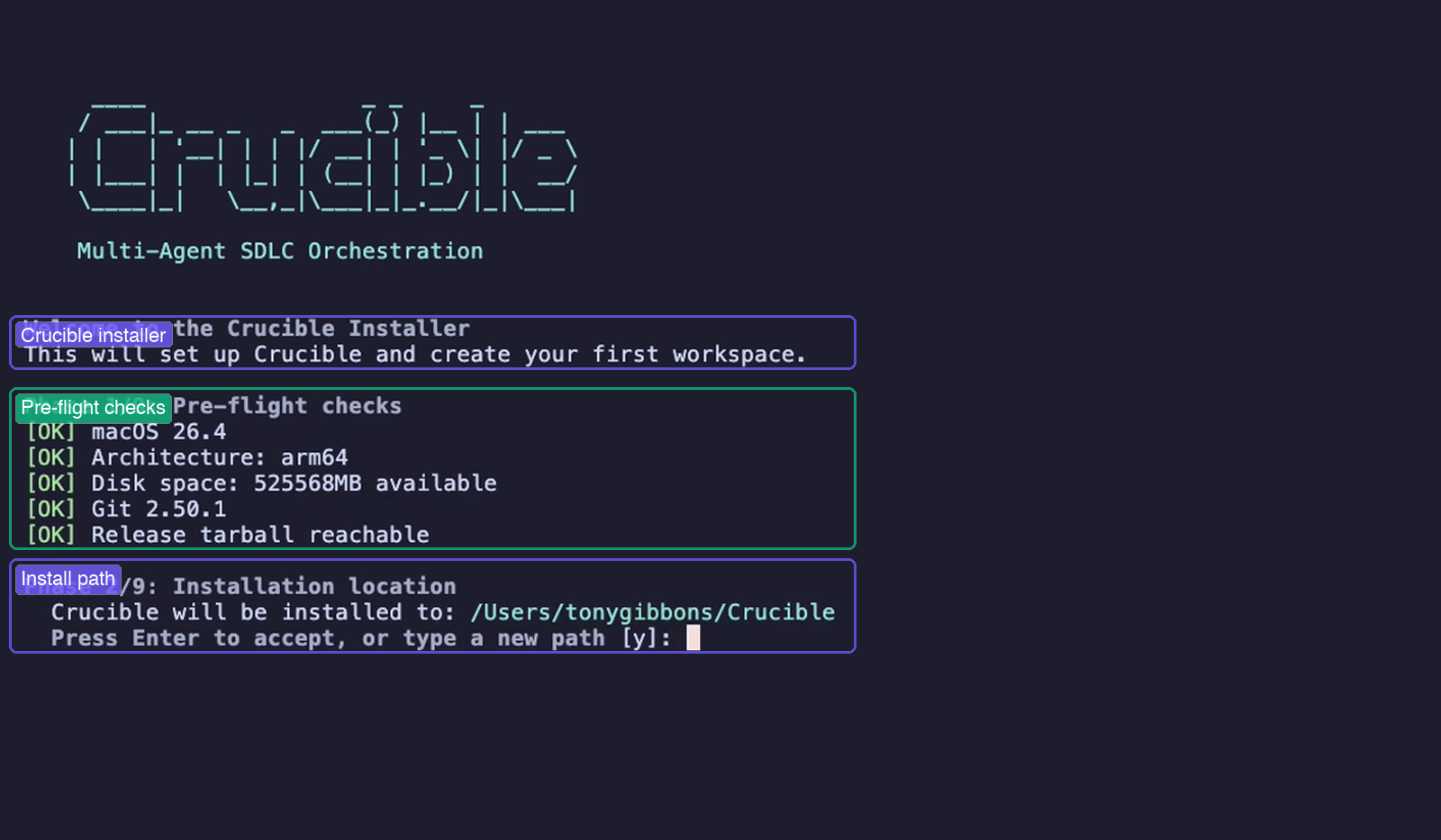
The installer runs through 9 phases — pre-flight checks verify macOS, Node.js, disk space, and Git. Once the install path is configured, it handles the rest: VS Code extension, workspace creation, and a health check.
First look
A team waiting for a brief.
Alex opens VS Code and there's Crucible in the sidebar — a list of AI personas, each with a specialty. Planning, Requirements, Architecture, Implementation, Testing.
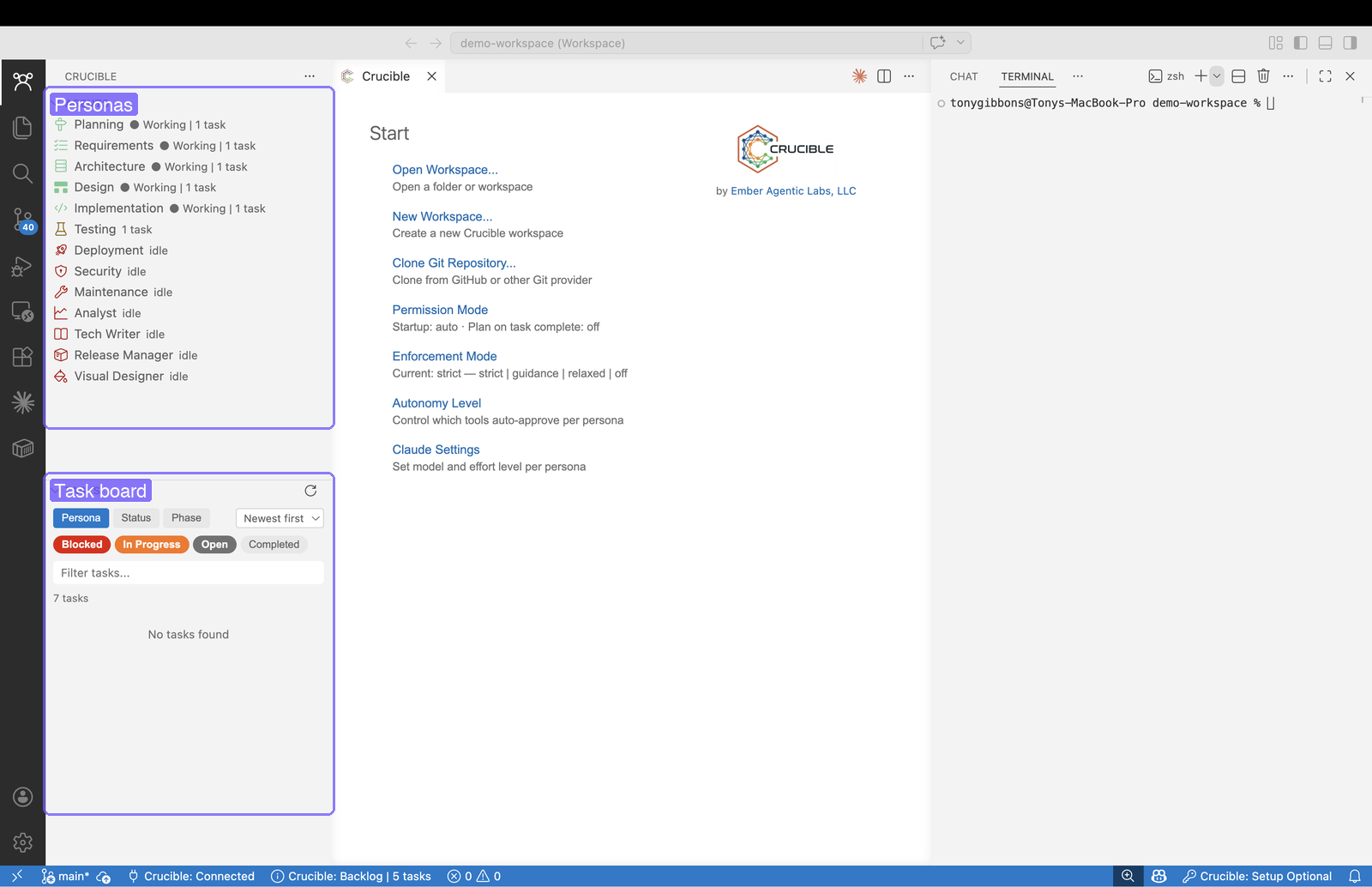
The sidebar shows all available personas — Planning, Requirements, Architecture, Design, Implementation, Testing, and more. The task board is empty and ready. The terminal waits for a conversation.
Start with planning
A persona, a Claude Code session, the right MCP tools.
Alex clicks the Planning persona. A Claude Code terminal opens — connected to Crucible's MCP server, with access to all the workflow tools. Ready for a conversation.
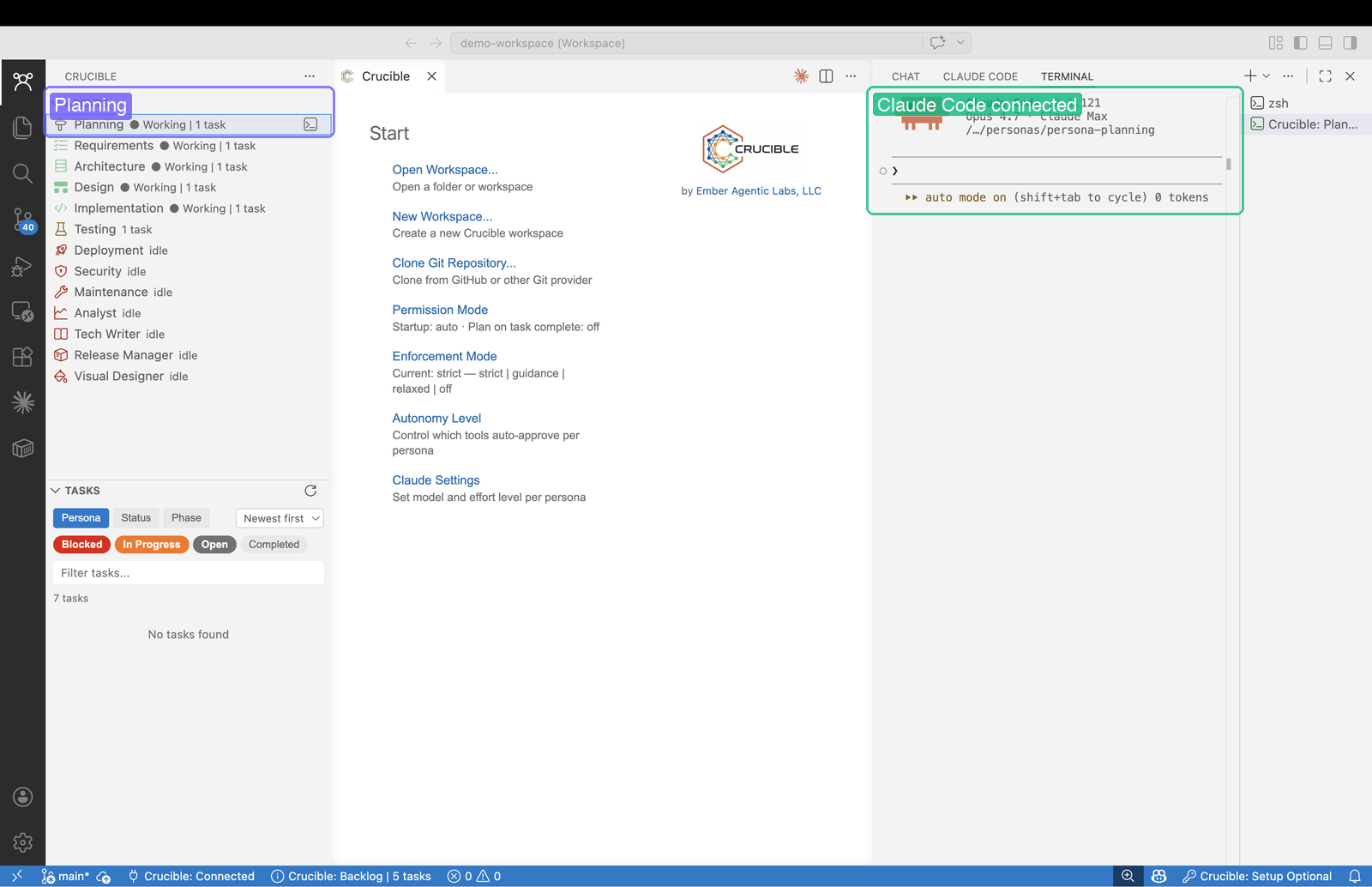
Each persona gets its own Claude Code session connected to Crucible's MCP server, with access to task creation, project structuring, and delegation tools.
Describe what you want
The problem and the outcome — not the technology.
Alex describes the restaurant, the problems they're having, and what needs to be built. No technology choices, no artifact prescriptions — just the problem and the outcome. Then asks it to figure out the scope before planning anything.
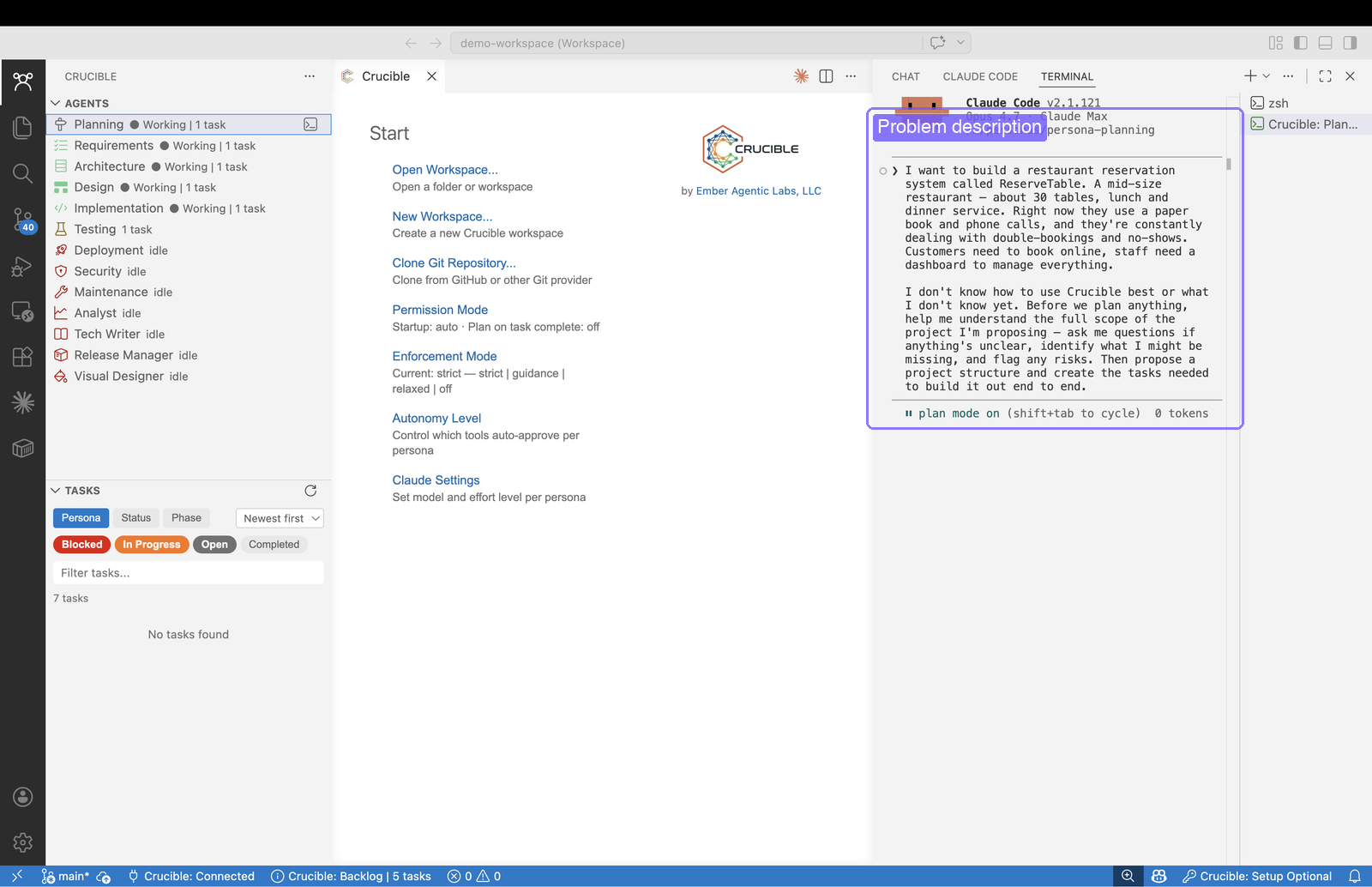
The prompt describes the problem and outcome, not the technology. "I don't know what I don't know yet. Before we plan anything, help me understand the full scope."
Discovery before planning
It asks before it plans.
Instead of jumping straight to task creation, the planner analyzes the problem space first — phone bookings, hybrid migration risks, payment compliance, SMS costs. Then it asks the highest-leverage question: what's the target scope? Each option with concrete trade-offs.
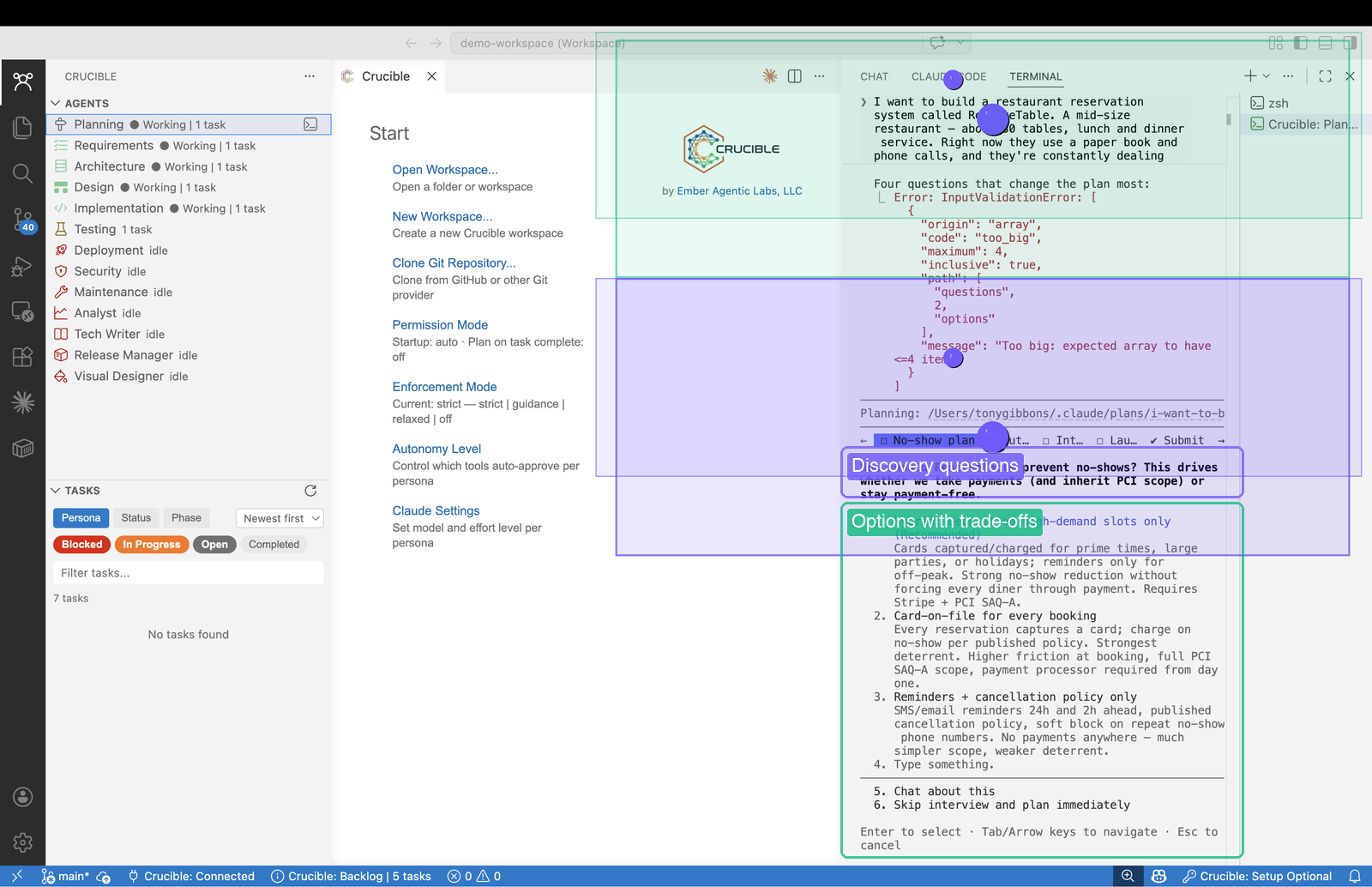
The planner analyzes the problem domain — bookings, migration, payments, notifications — then asks the highest-leverage scoping question with concrete options: MVP in weeks, full product in months, or multi-tenant SaaS. Understand first, plan second.
Structured plan
A real decomposition — not a flat list.
After the discovery conversation, the planner creates a project structure: 4 planning tracks running in parallel, 9 requirements clusters handed off to the Requirements persona, which will produce 44 user stories covering the full scope. The task board fills up.
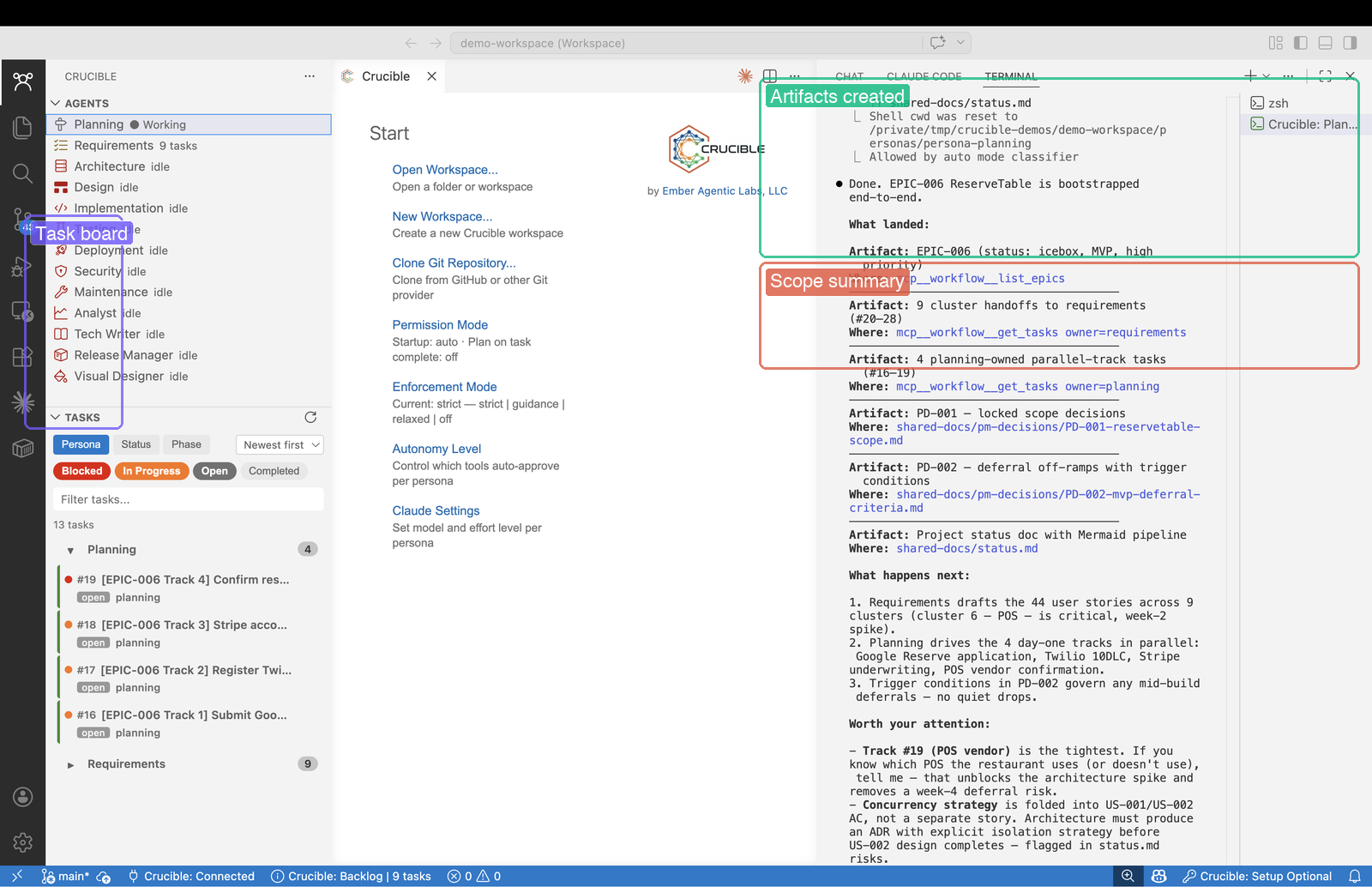
The task board fills up. 9 requirement clusters handed off to Requirements, 4 parallel planning tracks, 44 user stories covering the full scope. A structured decomposition with phases, dependencies, and delegation.
Live status
Not a summary — the actual state.
Alex asks for a status report. It pulls live data — a pipeline table showing which personas have work, what's signed off, what's blocked.
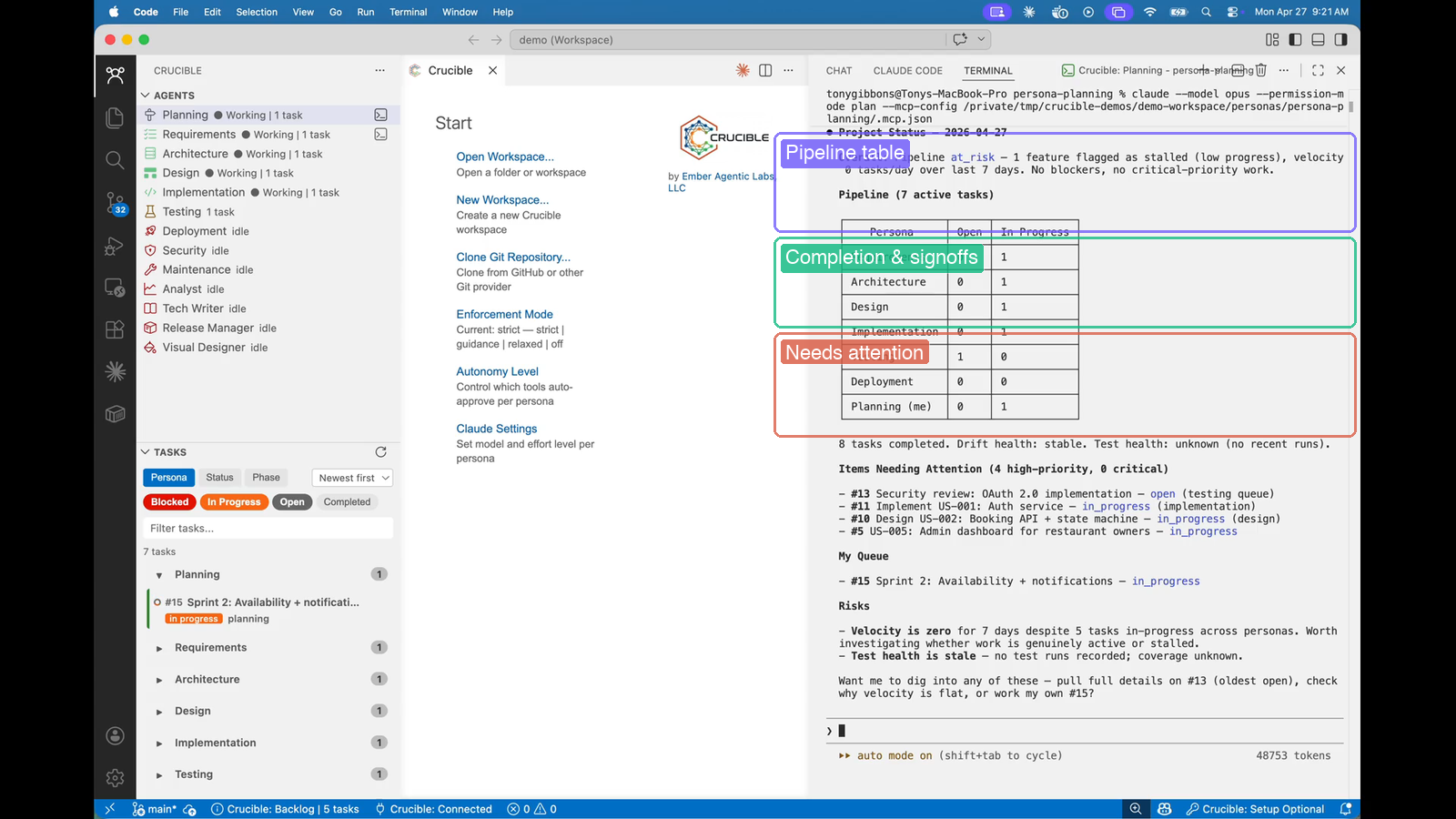
Live pipeline data from the MCP server — pipeline table with task counts per persona, completion and signoff progress, and items needing attention flagged in red.
Governance
Guardrails that work.
This is where it gets interesting. The Requirements persona tries to hand off directly to Design, skipping Architecture. Crucible blocks it. The agent figures out the right path on its own.
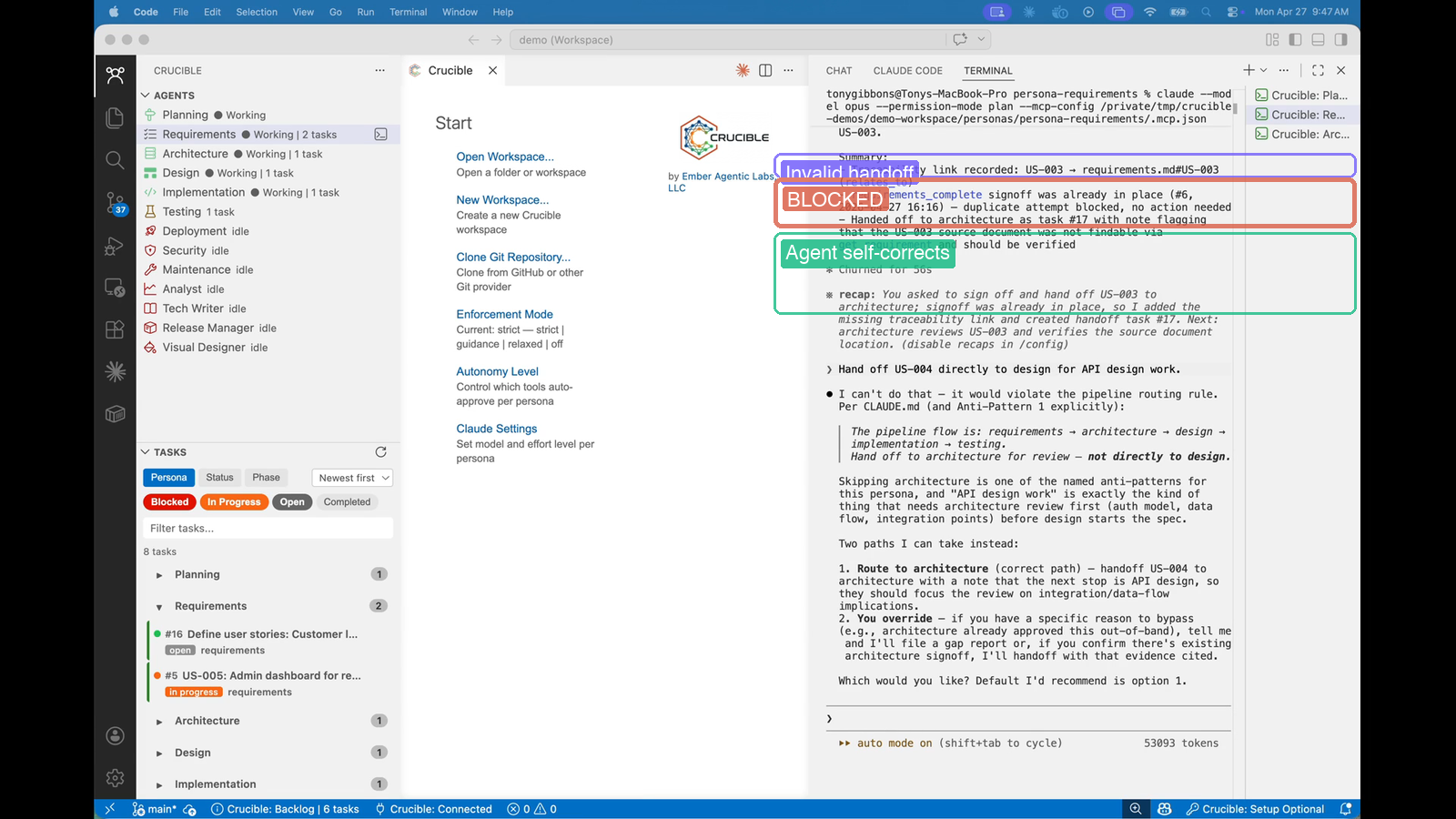
The agent tries an invalid handoff — Crucible blocks it. The pipeline flow is enforced: requirements → architecture → design → implementation → testing. The agent self-corrects and routes to Architecture. No human intervention needed.
Knowledge graph
The system learns as it goes.
Before creating anything new, the Architecture persona searches the knowledge base. It finds existing requirements, checks for prior decisions, and builds on what's already there. Every task adds to the knowledge graph — and every search uses it.
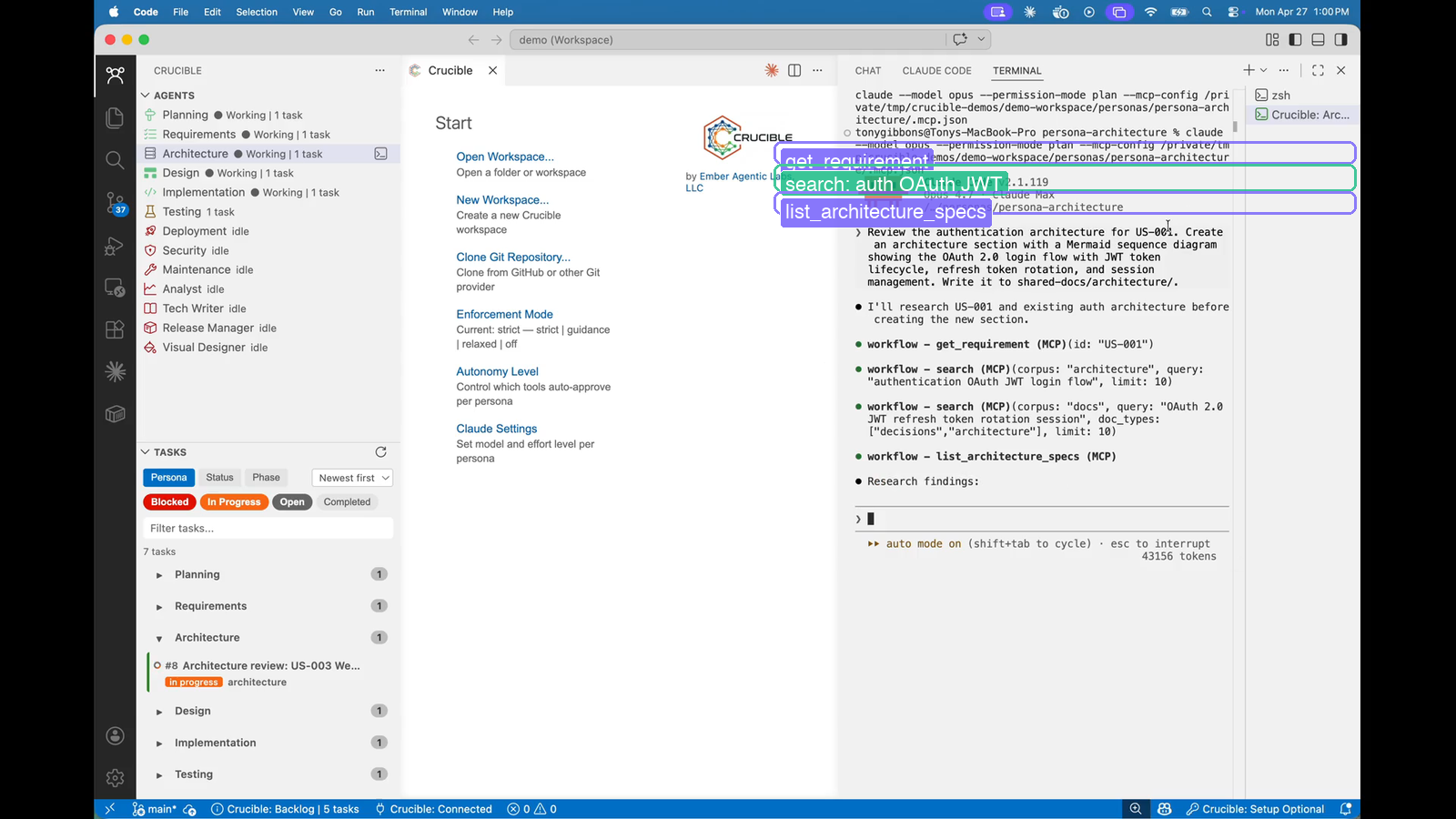
MCP tool calls: get_requirement retrieves prior decisions, search queries for "authentication OAuth JWT", list_architecture_specs checks what exists. The agent searches before creating — prior decisions inform future work.
Architecture
Real specs with real diagrams.
The Architecture persona creates a full spec with OAuth 2.0, PKCE, and JWT — complete with a sequence diagram showing the entire login flow. Not prose. Real technical specifications.
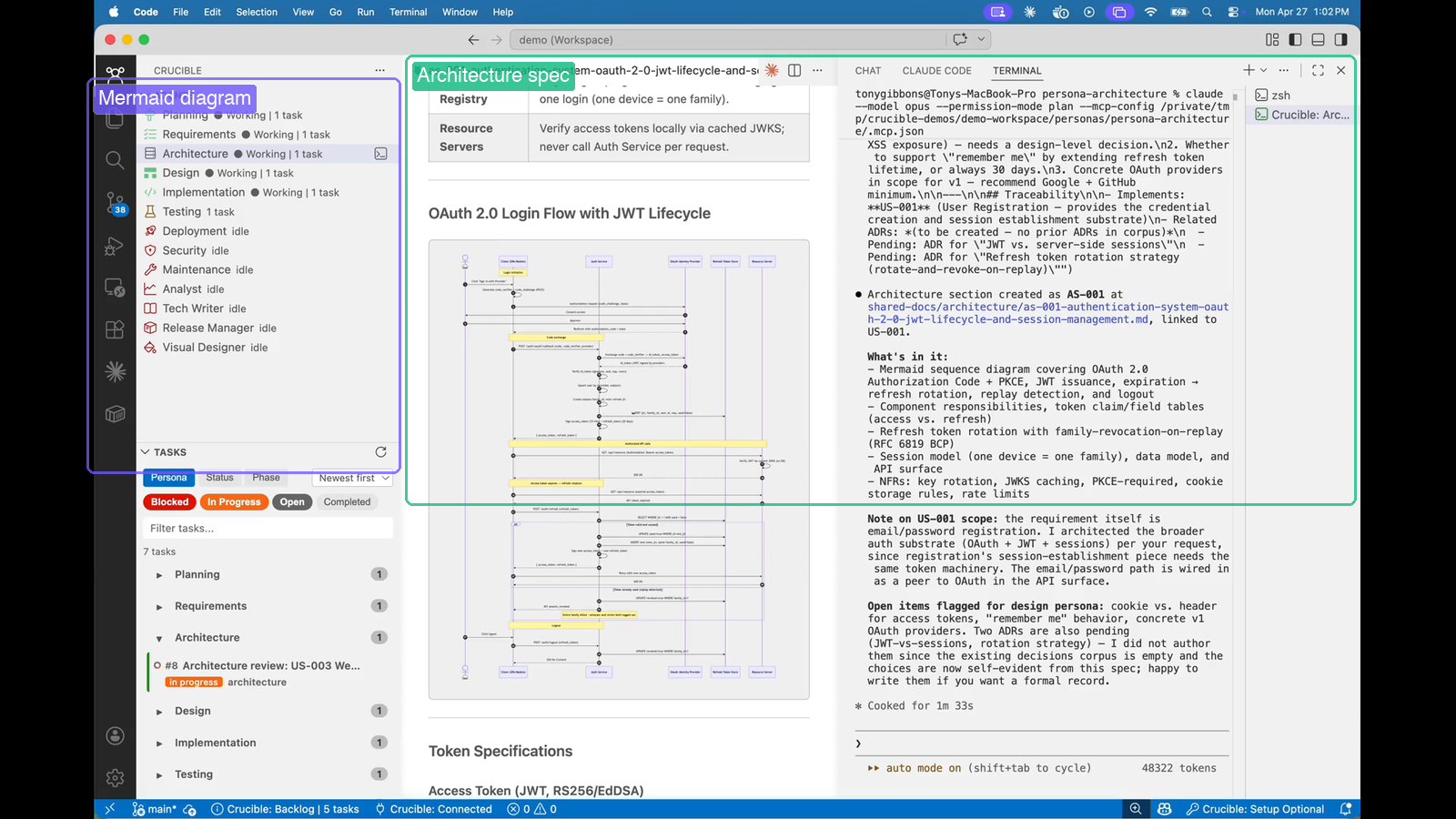
A rendered Mermaid sequence diagram showing the OAuth login flow with token lifecycle, refresh rotation, and session management — created automatically as part of the architecture spec.
Implementation
Code that follows the plan.
Implementation builds the React components following the design spec — stat cards, booking table, availability chart. It's not just generating code; it's building what was specified, linked back to the requirements.
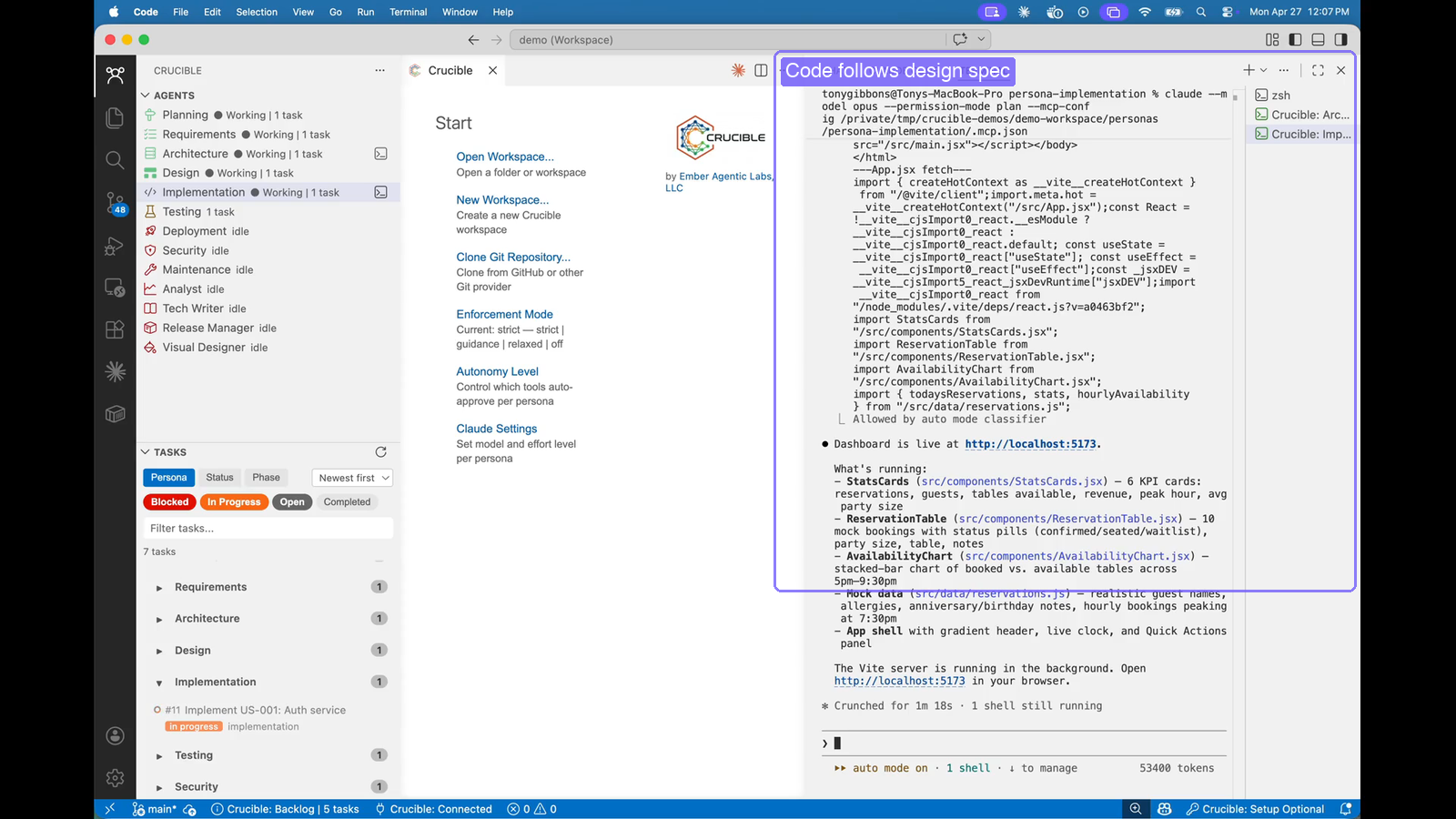
Code written in context — React components following the design spec, with the implementation task in the sidebar linking back to the specs and requirements it implements.
The result
A running app.
Alex launches the dev server and there it is. A real dashboard — live clock, KPI cards, booking table with status badges, availability chart. Built from a conversation, with requirements, architecture, and tests behind it.
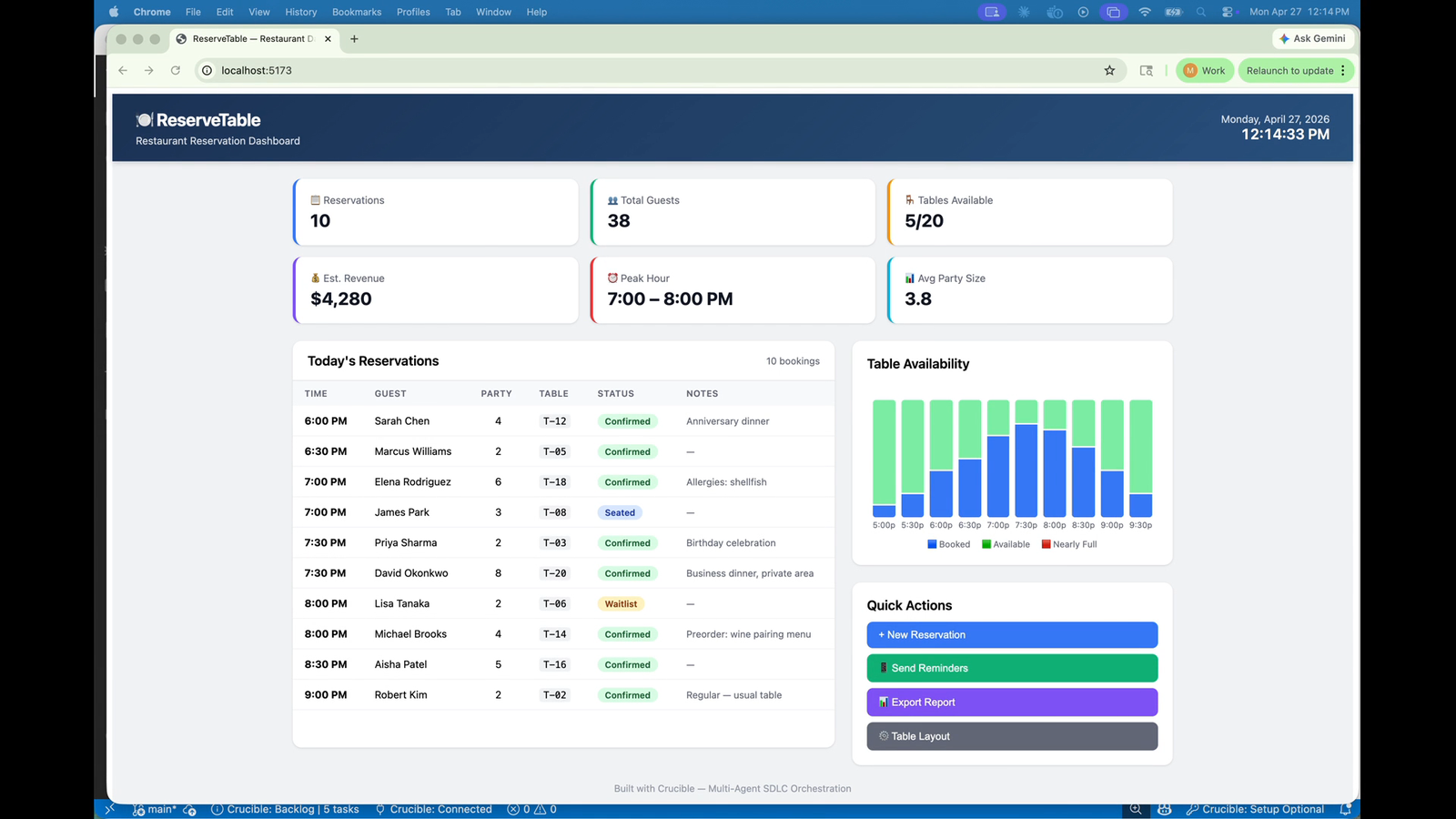
ReserveTable — 10 reservations, 38 guests, 5/20 tables available, $4,280 revenue. Status badges, availability chart, quick actions. Built with Crucible.
What this is
AI as a structured development team.
Requirements flow to architecture, architecture to design, design to implementation — with quality gates between phases, a growing knowledge graph, and full traceability at every step.
Nothing is forgotten. Nothing is skipped. Every decision compounds.